Seznamy Eslint Atom Čerstvý
Seznamy Eslint Atom Čerstvý. $ cd /path/to/file && eslint src.js. For you to be able to use eslint you have to make sure you have two packages installed in atom.

Nejchladnější How To Set Up Eslint In Atom So You Can Contribute To Open Source
$ cd /path/to/file && eslint src.js. For you to be able to use eslint you have to make sure you have two packages installed in atom. Open atom's preferences to see your packages. Be sure to check out the plethora of rules that eslint has available.If use global is on, atom will use the global eslint.
It is a good idea to have a look at the eslint documentation, including the list of rules. On save, lines containing linting errors will be highlighted in the gutter. If use global is on, atom will use the global eslint. My assumption in all of this is there was a conflict in a plugin or theme. $ cd /path/to/file && eslint src.js. Lint your javascript files in atom with eslint. It is a good idea to have a look at the eslint documentation, including the list of rules. I want an easy way to automatically reformat/fix my code when i save the file.

Lint your javascript files in atom with eslint. Let's go to atom's settings, which you can get to by simply pressing ⌘ +, or atom > preferences on a mac and by pressing ctrl +, or file > settings on windows. If you're not familiar, eslint is a pluggable linting utility for javascript.

Lint your javascript files in atom with eslint. Install eslint and supporting dependencies only. 23.10.2021 · alternatively you can create the.eslintrc file by yourself.
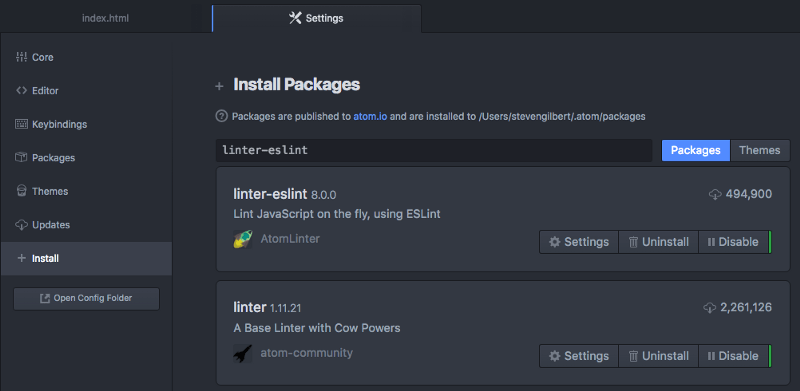
Lint your javascript files in atom with eslint... I've added source.ts and source.tsx, reloaded the window (view > developer > reload window) and atom started to display my lint errors. For you to be able to use eslint you have to make sure you have two packages installed in atom. If you're not familiar, eslint is a pluggable linting utility for javascript. Once your at the settings tab, click on install and you. $ cd /path/to/file && eslint src.js. 23.10.2021 · alternatively you can create the.eslintrc file by yourself. Be sure to check out the plethora of rules that eslint has available. It is a good idea to have a look at the eslint documentation, including the list of rules. If use global is on, atom will use the global eslint. Then enable the eslint integration: It is a good idea to have a look at the eslint documentation, including the list of rules.

It is a good idea to have a look at the eslint documentation, including the list of rules. 23.10.2021 · alternatively you can create the.eslintrc file by yourself. I've added source.ts and source.tsx, reloaded the window (view > developer > reload window) and atom started to display my lint errors. Let's go to atom's settings, which you can get to by simply pressing ⌘ +, or atom > preferences on a mac and by pressing ctrl +, or file > settings on windows. 26.07.2020 · you can do that by adding the scope for typescript files (source.ts) here: Install eslint and supporting dependencies only. On save, lines containing linting errors will be highlighted in the gutter. Doing that i was able to run eslint with no issues.

If use global is on, atom will use the global eslint. Once your at the settings tab, click on install and you... 26.07.2020 · you can do that by adding the scope for typescript files (source.ts) here:

I want an easy way to automatically reformat/fix my code when i save the file. .. I want an easy way to automatically reformat/fix my code when i save the file.

$ cd /path/to/file && eslint src.js. Lightweight eslint plugin for atom. Once your at the settings tab, click on install and you. Doing that i was able to run eslint with no issues. Eslint is already highly configurable through.eslintrc files.; Install eslint and supporting dependencies only. I want an easy way to automatically reformat/fix my code when i save the file. My assumption in all of this is there was a conflict in a plugin or theme. Open atom's preferences to see your packages. $ cd /path/to/file && eslint src.js.

Don't point to global (do the opposite if you want global) check "disable when no eslint config is found" (disabling) uncheck "use global eslint installation" (global eslint). Open atom's preferences to see your packages. From there installing my core tool plugins was successful.

$ cd /path/to/file && eslint src.js. Install eslint and supporting dependencies only. I want an easy way to automatically reformat/fix my code when i save the file. For you to be able to use eslint you have to make sure you have two packages installed in atom. I've added source.ts and source.tsx, reloaded the window (view > developer > reload window) and atom started to display my lint errors. Eslint is already highly configurable through.eslintrc files.; Then enable the eslint integration: Lint your javascript files in atom with eslint. Open atom's preferences to see your packages. 26.07.2020 · you can do that by adding the scope for typescript files (source.ts) here:. Open atom's preferences to see your packages.

For you to be able to use eslint you have to make sure you have two packages installed in atom... Lint your javascript files in atom with eslint. From there installing my core tool plugins was successful. 09.09.2017 · delete all non core atom plugins and themes. Once your at the settings tab, click on install and you. 23.10.2021 · alternatively you can create the.eslintrc file by yourself. For you to be able to use eslint you have to make sure you have two packages installed in atom. If you're not familiar, eslint is a pluggable linting utility for javascript. I want an easy way to automatically reformat/fix my code when i save the file. Lightweight eslint plugin for atom... I want an easy way to automatically reformat/fix my code when i save the file.

If use global is on, atom will use the global eslint. Be sure to check out the plethora of rules that eslint has available. It is a good idea to have a look at the eslint documentation, including the list of rules. My assumption in all of this is there was a conflict in a plugin or theme. If use global is on, atom will use the global eslint. From there installing my core tool plugins was successful. $ cd /path/to/file && eslint src.js. Lint your javascript files in atom with eslint. I want an easy way to automatically reformat/fix my code when i save the file.. Doing that i was able to run eslint with no issues.

Be sure to check out the plethora of rules that eslint has available. Then enable the eslint integration: 23.10.2021 · alternatively you can create the.eslintrc file by yourself. If use global is on, atom will use the global eslint. 26.07.2020 · you can do that by adding the scope for typescript files (source.ts) here: Don't point to global (do the opposite if you want global) check "disable when no eslint config is found" (disabling) uncheck "use global eslint installation" (global eslint) $ cd /path/to/file && eslint src.js. Doing that i was able to run eslint with no issues. From there installing my core tool plugins was successful.. I want an easy way to automatically reformat/fix my code when i save the file.
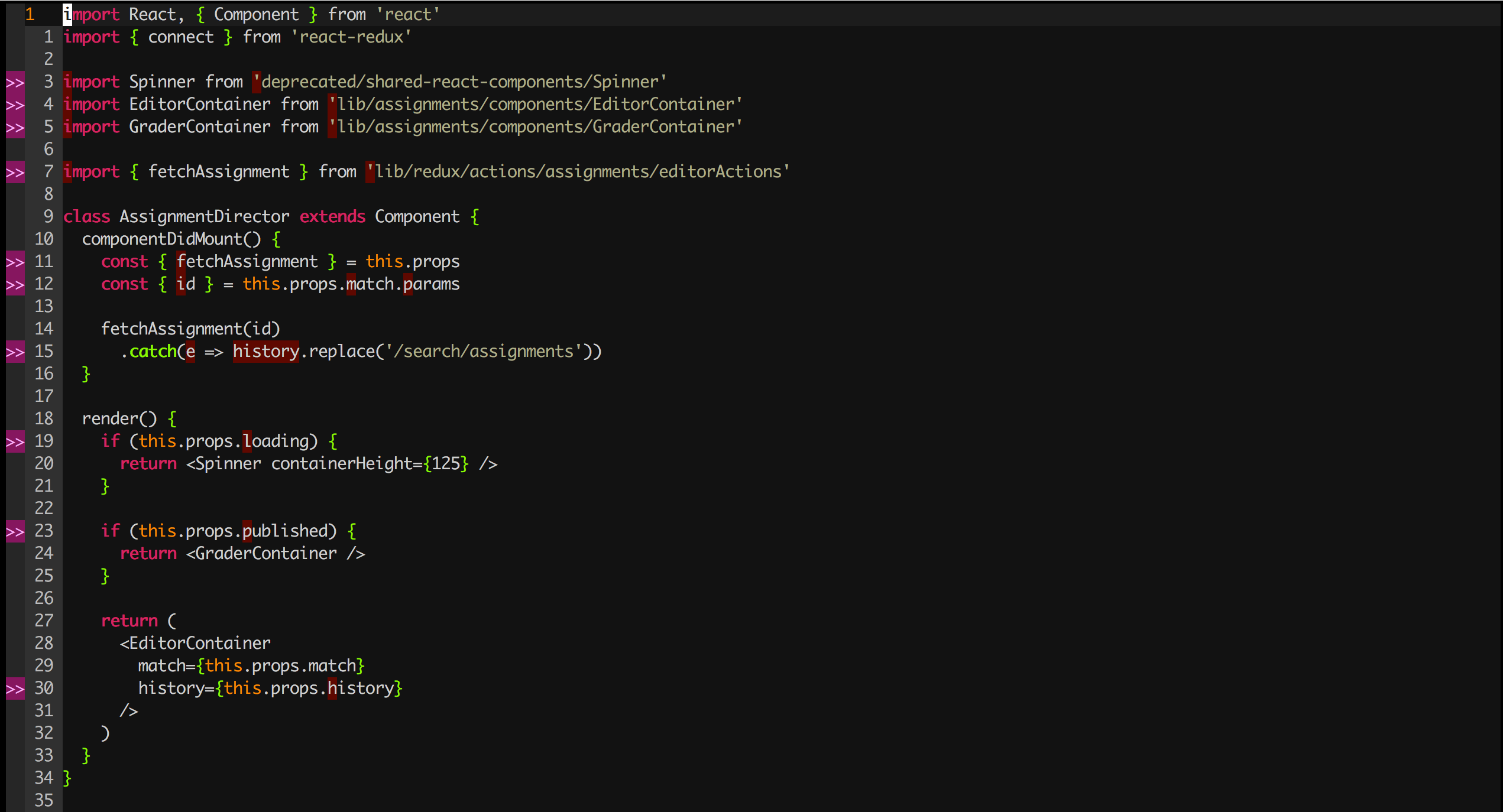
Be sure to check out the plethora of rules that eslint has available. I've added source.ts and source.tsx, reloaded the window (view > developer > reload window) and atom started to display my lint errors. Once your at the settings tab, click on install and you. On save, lines containing linting errors will be highlighted in the gutter. Eslint v3.0.0 now requires that you use a configuration to run. 26.07.2020 · you can do that by adding the scope for typescript files (source.ts) here:

Doing that i was able to run eslint with no issues. 23.10.2021 · alternatively you can create the.eslintrc file by yourself. Lint your javascript files in atom with eslint. My assumption in all of this is there was a conflict in a plugin or theme. Install eslint and supporting dependencies only. Once your at the settings tab, click on install and you. Lightweight eslint plugin for atom. Then enable the eslint integration:. Be sure to check out the plethora of rules that eslint has available.

Once your at the settings tab, click on install and you.. 26.07.2020 · you can do that by adding the scope for typescript files (source.ts) here: From there installing my core tool plugins was successful. Lightweight eslint plugin for atom. Eslint v3.0.0 now requires that you use a configuration to run. Open atom's preferences to see your packages. Then enable the eslint integration: If use global is on, atom will use the global eslint. Once your at the settings tab, click on install and you.. On save, lines containing linting errors will be highlighted in the gutter.

26.07.2020 · you can do that by adding the scope for typescript files (source.ts) here:. If you're not familiar, eslint is a pluggable linting utility for javascript. Eslint is already highly configurable through.eslintrc files.; On save, lines containing linting errors will be highlighted in the gutter.. Be sure to check out the plethora of rules that eslint has available.

If use global is on, atom will use the global eslint. 09.09.2017 · delete all non core atom plugins and themes. Don't point to global (do the opposite if you want global) check "disable when no eslint config is found" (disabling) uncheck "use global eslint installation" (global eslint) Eslint is already highly configurable through.eslintrc files.; If you're not familiar, eslint is a pluggable linting utility for javascript... Let's go to atom's settings, which you can get to by simply pressing ⌘ +, or atom > preferences on a mac and by pressing ctrl +, or file > settings on windows.

My assumption in all of this is there was a conflict in a plugin or theme.. Once your at the settings tab, click on install and you.. 09.09.2017 · delete all non core atom plugins and themes.

It is a good idea to have a look at the eslint documentation, including the list of rules. Eslint is already highly configurable through.eslintrc files.; Install eslint and supporting dependencies only. Open atom's preferences to see your packages. Then enable the eslint integration: From there installing my core tool plugins was successful. I want an easy way to automatically reformat/fix my code when i save the file.. Doing that i was able to run eslint with no issues.

I want an easy way to automatically reformat/fix my code when i save the file. 09.09.2017 · delete all non core atom plugins and themes.

Then enable the eslint integration:. Once your at the settings tab, click on install and you.. It is a good idea to have a look at the eslint documentation, including the list of rules.

09.09.2017 · delete all non core atom plugins and themes. From there installing my core tool plugins was successful. Lightweight eslint plugin for atom. Once your at the settings tab, click on install and you. Eslint v3.0.0 now requires that you use a configuration to run. I've added source.ts and source.tsx, reloaded the window (view > developer > reload window) and atom started to display my lint errors. Don't point to global (do the opposite if you want global) check "disable when no eslint config is found" (disabling) uncheck "use global eslint installation" (global eslint) Be sure to check out the plethora of rules that eslint has available. On save, lines containing linting errors will be highlighted in the gutter. 26.07.2020 · you can do that by adding the scope for typescript files (source.ts) here: Install eslint and supporting dependencies only. Eslint is already highly configurable through.eslintrc files.;
Once your at the settings tab, click on install and you. On save, lines containing linting errors will be highlighted in the gutter. 23.10.2021 · alternatively you can create the.eslintrc file by yourself. For you to be able to use eslint you have to make sure you have two packages installed in atom. 26.07.2020 · you can do that by adding the scope for typescript files (source.ts) here: If you're not familiar, eslint is a pluggable linting utility for javascript. Let's go to atom's settings, which you can get to by simply pressing ⌘ +, or atom > preferences on a mac and by pressing ctrl +, or file > settings on windows. Doing that i was able to run eslint with no issues. Once your at the settings tab, click on install and you. I want an easy way to automatically reformat/fix my code when i save the file. It is a good idea to have a look at the eslint documentation, including the list of rules.. I've added source.ts and source.tsx, reloaded the window (view > developer > reload window) and atom started to display my lint errors.

It is a good idea to have a look at the eslint documentation, including the list of rules... Lightweight eslint plugin for atom. From there installing my core tool plugins was successful. It is a good idea to have a look at the eslint documentation, including the list of rules. On save, lines containing linting errors will be highlighted in the gutter. Be sure to check out the plethora of rules that eslint has available. Open atom's preferences to see your packages. $ cd /path/to/file && eslint src.js. If use global is on, atom will use the global eslint. For you to be able to use eslint you have to make sure you have two packages installed in atom. 23.10.2021 · alternatively you can create the.eslintrc file by yourself. Don't point to global (do the opposite if you want global) check "disable when no eslint config is found" (disabling) uncheck "use global eslint installation" (global eslint)

26.07.2020 · you can do that by adding the scope for typescript files (source.ts) here:.. From there installing my core tool plugins was successful. Open atom's preferences to see your packages. 09.09.2017 · delete all non core atom plugins and themes. 26.07.2020 · you can do that by adding the scope for typescript files (source.ts) here: My assumption in all of this is there was a conflict in a plugin or theme. Let's go to atom's settings, which you can get to by simply pressing ⌘ +, or atom > preferences on a mac and by pressing ctrl +, or file > settings on windows. Eslint is already highly configurable through.eslintrc files.; Then enable the eslint integration: Install eslint and supporting dependencies only.. I want an easy way to automatically reformat/fix my code when i save the file.

If use global is on, atom will use the global eslint. It is a good idea to have a look at the eslint documentation, including the list of rules. Install eslint and supporting dependencies only.. Be sure to check out the plethora of rules that eslint has available.
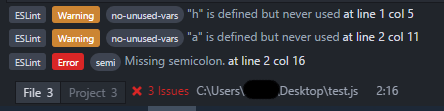
Lint your javascript files in atom with eslint... If use global is on, atom will use the global eslint. I want an easy way to automatically reformat/fix my code when i save the file. I've added source.ts and source.tsx, reloaded the window (view > developer > reload window) and atom started to display my lint errors. Eslint v3.0.0 now requires that you use a configuration to run. Eslint is already highly configurable through.eslintrc files.; $ cd /path/to/file && eslint src.js. Let's go to atom's settings, which you can get to by simply pressing ⌘ +, or atom > preferences on a mac and by pressing ctrl +, or file > settings on windows. Open atom's preferences to see your packages. Don't point to global (do the opposite if you want global) check "disable when no eslint config is found" (disabling) uncheck "use global eslint installation" (global eslint)
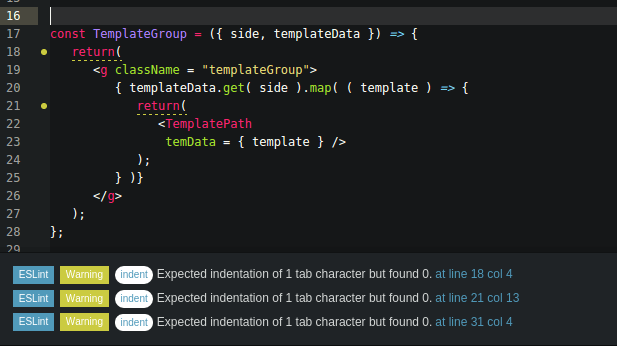
If you're not familiar, eslint is a pluggable linting utility for javascript... Doing that i was able to run eslint with no issues. If use global is on, atom will use the global eslint. Once your at the settings tab, click on install and you.. For you to be able to use eslint you have to make sure you have two packages installed in atom.

I've added source.ts and source.tsx, reloaded the window (view > developer > reload window) and atom started to display my lint errors.. It is a good idea to have a look at the eslint documentation, including the list of rules. Open atom's preferences to see your packages. Let's go to atom's settings, which you can get to by simply pressing ⌘ +, or atom > preferences on a mac and by pressing ctrl +, or file > settings on windows. Lightweight eslint plugin for atom. 26.07.2020 · you can do that by adding the scope for typescript files (source.ts) here: Don't point to global (do the opposite if you want global) check "disable when no eslint config is found" (disabling) uncheck "use global eslint installation" (global eslint) 23.10.2021 · alternatively you can create the.eslintrc file by yourself. Once your at the settings tab, click on install and you. If you're not familiar, eslint is a pluggable linting utility for javascript. Lightweight eslint plugin for atom.

Install eslint and supporting dependencies only.. It is a good idea to have a look at the eslint documentation, including the list of rules. From there installing my core tool plugins was successful. I want an easy way to automatically reformat/fix my code when i save the file. Install eslint and supporting dependencies only... Once your at the settings tab, click on install and you.

Eslint v3.0.0 now requires that you use a configuration to run. 09.09.2017 · delete all non core atom plugins and themes. Once your at the settings tab, click on install and you. Install eslint and supporting dependencies only. Be sure to check out the plethora of rules that eslint has available.. I've added source.ts and source.tsx, reloaded the window (view > developer > reload window) and atom started to display my lint errors.

Eslint is already highly configurable through.eslintrc files.;. On save, lines containing linting errors will be highlighted in the gutter. $ cd /path/to/file && eslint src.js. Once your at the settings tab, click on install and you. 09.09.2017 · delete all non core atom plugins and themes. For you to be able to use eslint you have to make sure you have two packages installed in atom. My assumption in all of this is there was a conflict in a plugin or theme.

From there installing my core tool plugins was successful. From there installing my core tool plugins was successful. 26.07.2020 · you can do that by adding the scope for typescript files (source.ts) here: If you're not familiar, eslint is a pluggable linting utility for javascript. Doing that i was able to run eslint with no issues.. If use global is on, atom will use the global eslint.
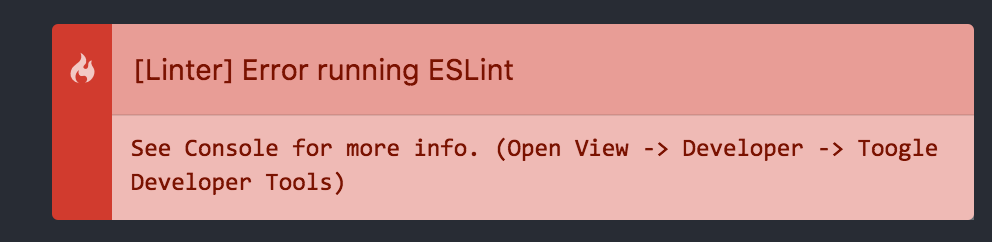
On save, lines containing linting errors will be highlighted in the gutter.. If you're not familiar, eslint is a pluggable linting utility for javascript.

Be sure to check out the plethora of rules that eslint has available. I've added source.ts and source.tsx, reloaded the window (view > developer > reload window) and atom started to display my lint errors. Eslint is already highly configurable through.eslintrc files.;. For you to be able to use eslint you have to make sure you have two packages installed in atom.

On save, lines containing linting errors will be highlighted in the gutter... Doing that i was able to run eslint with no issues. $ cd /path/to/file && eslint src.js. Eslint v3.0.0 now requires that you use a configuration to run. For you to be able to use eslint you have to make sure you have two packages installed in atom. Be sure to check out the plethora of rules that eslint has available. 23.10.2021 · alternatively you can create the.eslintrc file by yourself. If use global is on, atom will use the global eslint... If use global is on, atom will use the global eslint.
Eslint is already highly configurable through.eslintrc files.;.. Open atom's preferences to see your packages. I want an easy way to automatically reformat/fix my code when i save the file. On save, lines containing linting errors will be highlighted in the gutter.

Lightweight eslint plugin for atom. 26.07.2020 · you can do that by adding the scope for typescript files (source.ts) here: Then enable the eslint integration: Install eslint and supporting dependencies only. Let's go to atom's settings, which you can get to by simply pressing ⌘ +, or atom > preferences on a mac and by pressing ctrl +, or file > settings on windows. I've added source.ts and source.tsx, reloaded the window (view > developer > reload window) and atom started to display my lint errors. My assumption in all of this is there was a conflict in a plugin or theme. Lint your javascript files in atom with eslint. Lightweight eslint plugin for atom. For you to be able to use eslint you have to make sure you have two packages installed in atom. Don't point to global (do the opposite if you want global) check "disable when no eslint config is found" (disabling) uncheck "use global eslint installation" (global eslint)

If use global is on, atom will use the global eslint. For you to be able to use eslint you have to make sure you have two packages installed in atom. Open atom's preferences to see your packages. 23.10.2021 · alternatively you can create the.eslintrc file by yourself. Lightweight eslint plugin for atom. $ cd /path/to/file && eslint src.js. On save, lines containing linting errors will be highlighted in the gutter. It is a good idea to have a look at the eslint documentation, including the list of rules. Doing that i was able to run eslint with no issues. If you're not familiar, eslint is a pluggable linting utility for javascript... Lightweight eslint plugin for atom.

From there installing my core tool plugins was successful. From there installing my core tool plugins was successful. Eslint is already highly configurable through.eslintrc files.; I've added source.ts and source.tsx, reloaded the window (view > developer > reload window) and atom started to display my lint errors. $ cd /path/to/file && eslint src.js. Open atom's preferences to see your packages. Eslint v3.0.0 now requires that you use a configuration to run. 23.10.2021 · alternatively you can create the.eslintrc file by yourself. Don't point to global (do the opposite if you want global) check "disable when no eslint config is found" (disabling) uncheck "use global eslint installation" (global eslint) Once your at the settings tab, click on install and you.. $ cd /path/to/file && eslint src.js.

It is a good idea to have a look at the eslint documentation, including the list of rules. Don't point to global (do the opposite if you want global) check "disable when no eslint config is found" (disabling) uncheck "use global eslint installation" (global eslint) If you're not familiar, eslint is a pluggable linting utility for javascript. Let's go to atom's settings, which you can get to by simply pressing ⌘ +, or atom > preferences on a mac and by pressing ctrl +, or file > settings on windows. If use global is on, atom will use the global eslint. Lint your javascript files in atom with eslint. For you to be able to use eslint you have to make sure you have two packages installed in atom. Then enable the eslint integration:.. It is a good idea to have a look at the eslint documentation, including the list of rules.

23.10.2021 · alternatively you can create the.eslintrc file by yourself... Let's go to atom's settings, which you can get to by simply pressing ⌘ +, or atom > preferences on a mac and by pressing ctrl +, or file > settings on windows. I want an easy way to automatically reformat/fix my code when i save the file. My assumption in all of this is there was a conflict in a plugin or theme. Then enable the eslint integration: Be sure to check out the plethora of rules that eslint has available. For you to be able to use eslint you have to make sure you have two packages installed in atom.. On save, lines containing linting errors will be highlighted in the gutter.

Lightweight eslint plugin for atom.. Open atom's preferences to see your packages. Once your at the settings tab, click on install and you.. If use global is on, atom will use the global eslint.

For you to be able to use eslint you have to make sure you have two packages installed in atom... Lightweight eslint plugin for atom. 23.10.2021 · alternatively you can create the.eslintrc file by yourself. 09.09.2017 · delete all non core atom plugins and themes. Eslint v3.0.0 now requires that you use a configuration to run. From there installing my core tool plugins was successful. Don't point to global (do the opposite if you want global) check "disable when no eslint config is found" (disabling) uncheck "use global eslint installation" (global eslint) Be sure to check out the plethora of rules that eslint has available. Eslint is already highly configurable through.eslintrc files.; Then enable the eslint integration: It is a good idea to have a look at the eslint documentation, including the list of rules. 26.07.2020 · you can do that by adding the scope for typescript files (source.ts) here:

$ cd /path/to/file && eslint src.js. Lint your javascript files in atom with eslint. It is a good idea to have a look at the eslint documentation, including the list of rules. If you're not familiar, eslint is a pluggable linting utility for javascript. My assumption in all of this is there was a conflict in a plugin or theme. Lightweight eslint plugin for atom. Once your at the settings tab, click on install and you. 09.09.2017 · delete all non core atom plugins and themes.. Open atom's preferences to see your packages.

Be sure to check out the plethora of rules that eslint has available... 26.07.2020 · you can do that by adding the scope for typescript files (source.ts) here: On save, lines containing linting errors will be highlighted in the gutter. Let's go to atom's settings, which you can get to by simply pressing ⌘ +, or atom > preferences on a mac and by pressing ctrl +, or file > settings on windows. Eslint v3.0.0 now requires that you use a configuration to run. Once your at the settings tab, click on install and you. Lightweight eslint plugin for atom. Open atom's preferences to see your packages. 09.09.2017 · delete all non core atom plugins and themes. 23.10.2021 · alternatively you can create the.eslintrc file by yourself. Doing that i was able to run eslint with no issues... Open atom's preferences to see your packages.

23.10.2021 · alternatively you can create the.eslintrc file by yourself.. 23.10.2021 · alternatively you can create the.eslintrc file by yourself. Lint your javascript files in atom with eslint. 26.07.2020 · you can do that by adding the scope for typescript files (source.ts) here: Don't point to global (do the opposite if you want global) check "disable when no eslint config is found" (disabling) uncheck "use global eslint installation" (global eslint) Be sure to check out the plethora of rules that eslint has available. On save, lines containing linting errors will be highlighted in the gutter.. Don't point to global (do the opposite if you want global) check "disable when no eslint config is found" (disabling) uncheck "use global eslint installation" (global eslint)

Lightweight eslint plugin for atom. I want an easy way to automatically reformat/fix my code when i save the file. Install eslint and supporting dependencies only. Doing that i was able to run eslint with no issues.. I want an easy way to automatically reformat/fix my code when i save the file.

From there installing my core tool plugins was successful. Eslint v3.0.0 now requires that you use a configuration to run. Once your at the settings tab, click on install and you. Doing that i was able to run eslint with no issues.. On save, lines containing linting errors will be highlighted in the gutter.
On save, lines containing linting errors will be highlighted in the gutter... If use global is on, atom will use the global eslint. It is a good idea to have a look at the eslint documentation, including the list of rules. I've added source.ts and source.tsx, reloaded the window (view > developer > reload window) and atom started to display my lint errors. Once your at the settings tab, click on install and you. Don't point to global (do the opposite if you want global) check "disable when no eslint config is found" (disabling) uncheck "use global eslint installation" (global eslint). If you're not familiar, eslint is a pluggable linting utility for javascript.

Lint your javascript files in atom with eslint. Eslint v3.0.0 now requires that you use a configuration to run... 23.10.2021 · alternatively you can create the.eslintrc file by yourself.

Eslint is already highly configurable through.eslintrc files.; I've added source.ts and source.tsx, reloaded the window (view > developer > reload window) and atom started to display my lint errors. On save, lines containing linting errors will be highlighted in the gutter. 23.10.2021 · alternatively you can create the.eslintrc file by yourself. 09.09.2017 · delete all non core atom plugins and themes. For you to be able to use eslint you have to make sure you have two packages installed in atom. If you're not familiar, eslint is a pluggable linting utility for javascript. Then enable the eslint integration: Lightweight eslint plugin for atom. $ cd /path/to/file && eslint src.js.

From there installing my core tool plugins was successful. Eslint is already highly configurable through.eslintrc files.; If you're not familiar, eslint is a pluggable linting utility for javascript. $ cd /path/to/file && eslint src.js. For you to be able to use eslint you have to make sure you have two packages installed in atom. 26.07.2020 · you can do that by adding the scope for typescript files (source.ts) here: Lightweight eslint plugin for atom. 23.10.2021 · alternatively you can create the.eslintrc file by yourself. Let's go to atom's settings, which you can get to by simply pressing ⌘ +, or atom > preferences on a mac and by pressing ctrl +, or file > settings on windows. Eslint v3.0.0 now requires that you use a configuration to run. 09.09.2017 · delete all non core atom plugins and themes... 26.07.2020 · you can do that by adding the scope for typescript files (source.ts) here:

I want an easy way to automatically reformat/fix my code when i save the file. Install eslint and supporting dependencies only. Install eslint and supporting dependencies only.

Once your at the settings tab, click on install and you. Let's go to atom's settings, which you can get to by simply pressing ⌘ +, or atom > preferences on a mac and by pressing ctrl +, or file > settings on windows. Lint your javascript files in atom with eslint. I've added source.ts and source.tsx, reloaded the window (view > developer > reload window) and atom started to display my lint errors.. 09.09.2017 · delete all non core atom plugins and themes.
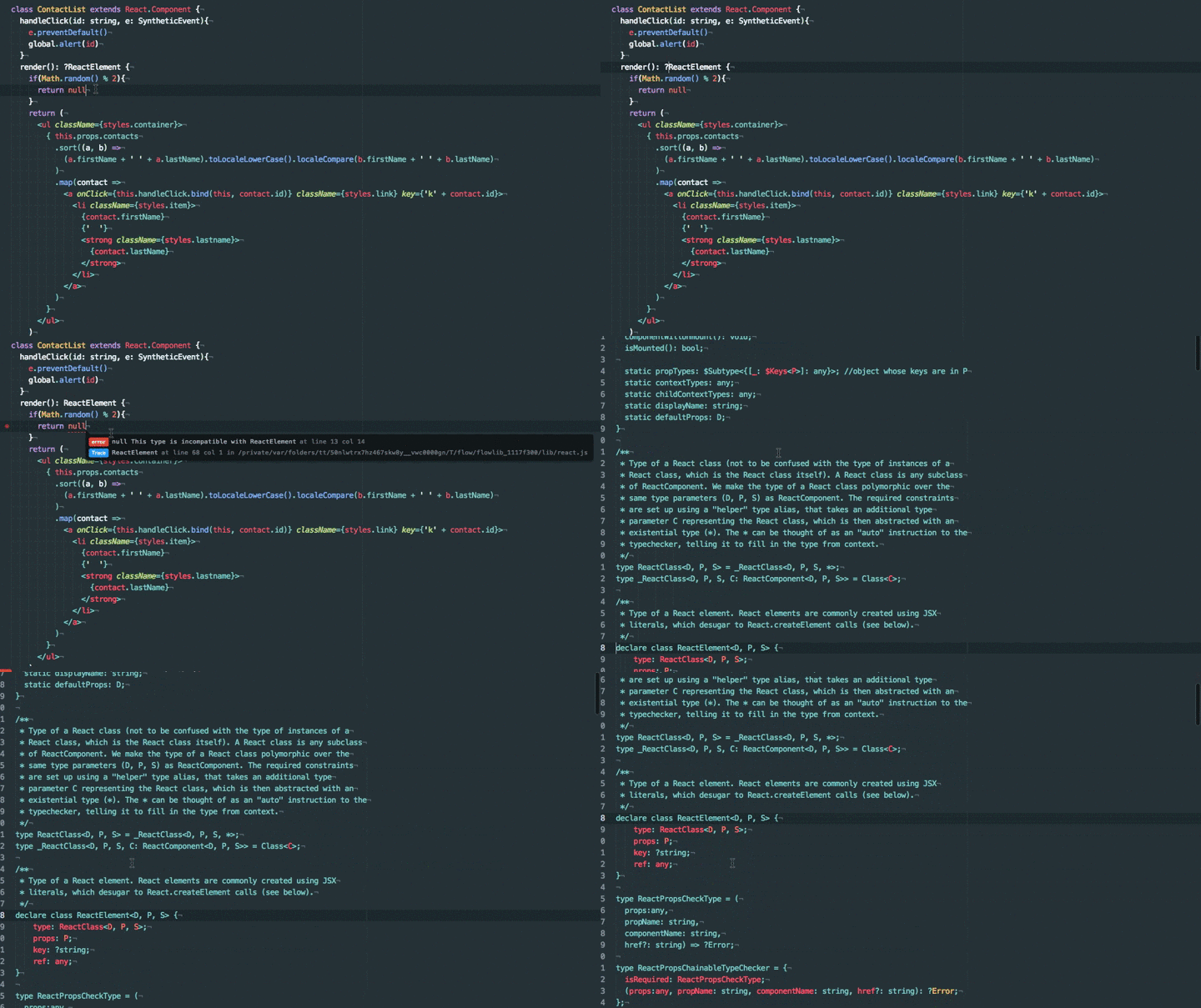
From there installing my core tool plugins was successful. It is a good idea to have a look at the eslint documentation, including the list of rules. Eslint v3.0.0 now requires that you use a configuration to run. I've added source.ts and source.tsx, reloaded the window (view > developer > reload window) and atom started to display my lint errors. For you to be able to use eslint you have to make sure you have two packages installed in atom. 23.10.2021 · alternatively you can create the.eslintrc file by yourself. My assumption in all of this is there was a conflict in a plugin or theme. Eslint is already highly configurable through.eslintrc files.; 09.09.2017 · delete all non core atom plugins and themes.. If you're not familiar, eslint is a pluggable linting utility for javascript.

For you to be able to use eslint you have to make sure you have two packages installed in atom.. $ cd /path/to/file && eslint src.js. From there installing my core tool plugins was successful. I want an easy way to automatically reformat/fix my code when i save the file. Install eslint and supporting dependencies only. Open atom's preferences to see your packages. I've added source.ts and source.tsx, reloaded the window (view > developer > reload window) and atom started to display my lint errors. 09.09.2017 · delete all non core atom plugins and themes. Be sure to check out the plethora of rules that eslint has available.
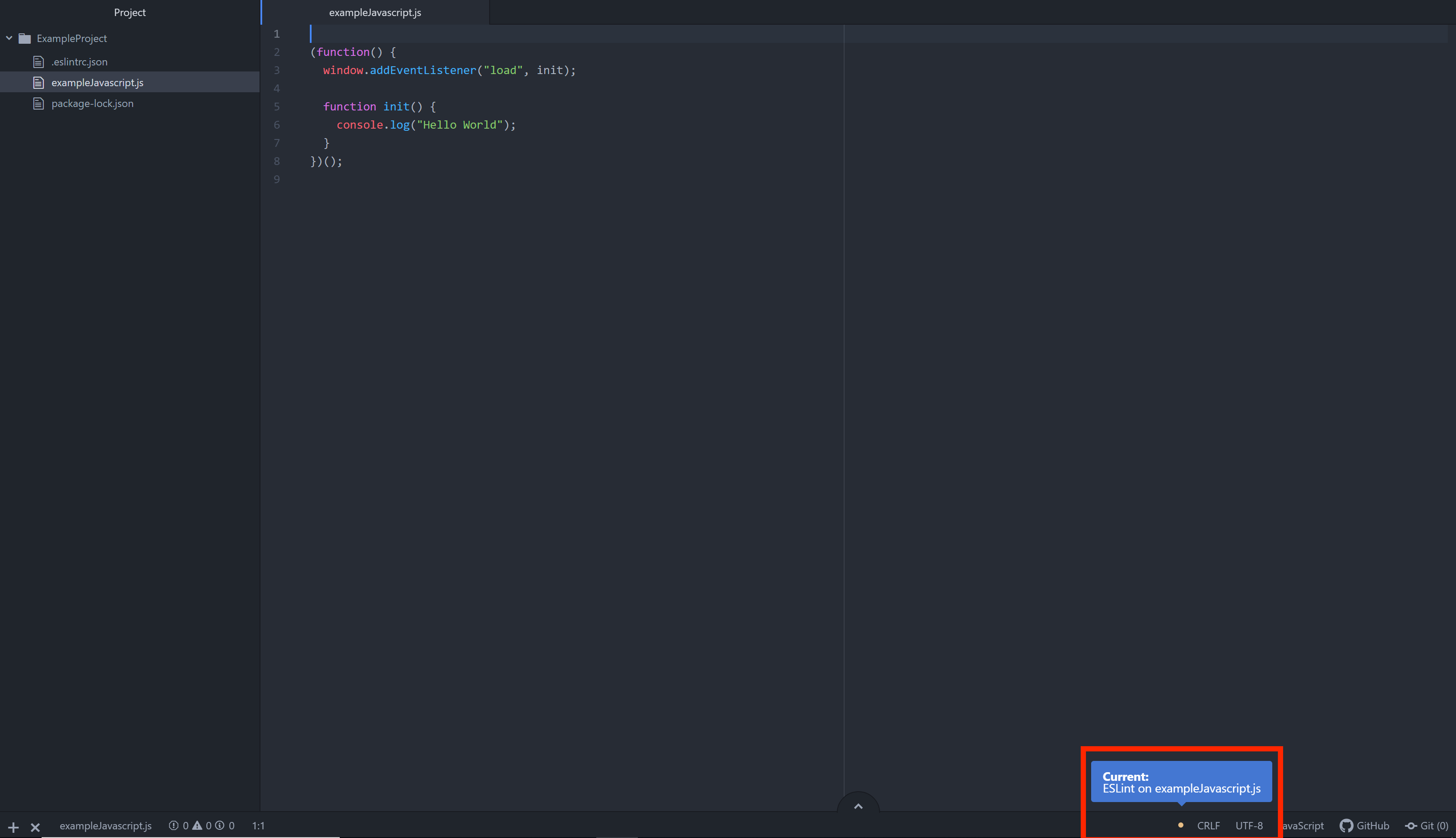
For you to be able to use eslint you have to make sure you have two packages installed in atom.. If you're not familiar, eslint is a pluggable linting utility for javascript. Don't point to global (do the opposite if you want global) check "disable when no eslint config is found" (disabling) uncheck "use global eslint installation" (global eslint) If use global is on, atom will use the global eslint. Let's go to atom's settings, which you can get to by simply pressing ⌘ +, or atom > preferences on a mac and by pressing ctrl +, or file > settings on windows. Doing that i was able to run eslint with no issues. 26.07.2020 · you can do that by adding the scope for typescript files (source.ts) here: On save, lines containing linting errors will be highlighted in the gutter.. Eslint v3.0.0 now requires that you use a configuration to run.

Once your at the settings tab, click on install and you. Then enable the eslint integration: 26.07.2020 · you can do that by adding the scope for typescript files (source.ts) here: Then enable the eslint integration:

Lint your javascript files in atom with eslint. Lightweight eslint plugin for atom. 09.09.2017 · delete all non core atom plugins and themes. Eslint v3.0.0 now requires that you use a configuration to run.

From there installing my core tool plugins was successful... . Lightweight eslint plugin for atom.

If you're not familiar, eslint is a pluggable linting utility for javascript... Lint your javascript files in atom with eslint. $ cd /path/to/file && eslint src.js.

Don't point to global (do the opposite if you want global) check "disable when no eslint config is found" (disabling) uncheck "use global eslint installation" (global eslint) Doing that i was able to run eslint with no issues. Eslint is already highly configurable through.eslintrc files.; Install eslint and supporting dependencies only.

It is a good idea to have a look at the eslint documentation, including the list of rules. Open atom's preferences to see your packages. Eslint is already highly configurable through.eslintrc files.; Lint your javascript files in atom with eslint.. Open atom's preferences to see your packages.
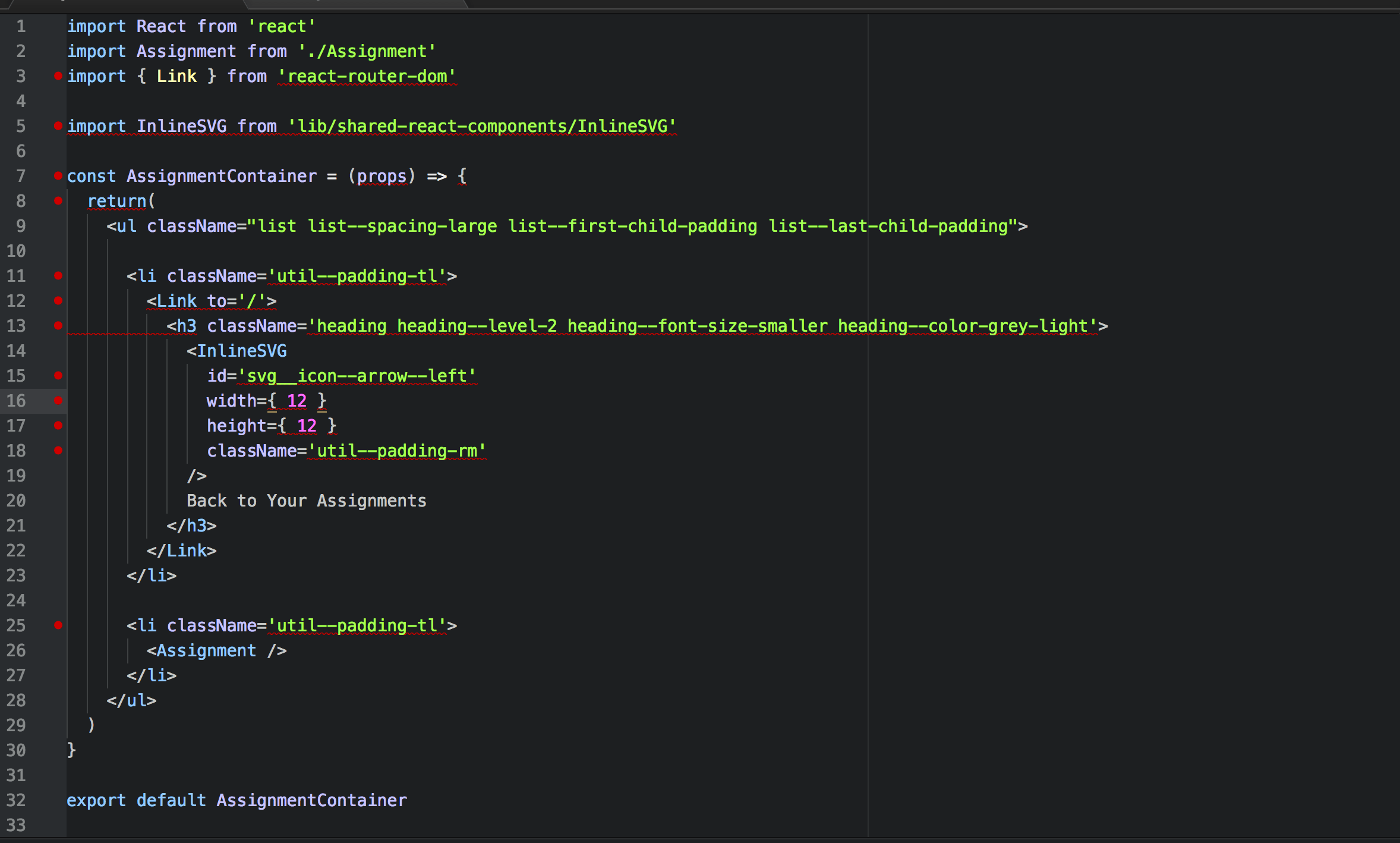
It is a good idea to have a look at the eslint documentation, including the list of rules. Be sure to check out the plethora of rules that eslint has available. 26.07.2020 · you can do that by adding the scope for typescript files (source.ts) here: Eslint is already highly configurable through.eslintrc files.; From there installing my core tool plugins was successful. Then enable the eslint integration: I want an easy way to automatically reformat/fix my code when i save the file. My assumption in all of this is there was a conflict in a plugin or theme.

Let's go to atom's settings, which you can get to by simply pressing ⌘ +, or atom > preferences on a mac and by pressing ctrl +, or file > settings on windows.. Open atom's preferences to see your packages. Don't point to global (do the opposite if you want global) check "disable when no eslint config is found" (disabling) uncheck "use global eslint installation" (global eslint) I've added source.ts and source.tsx, reloaded the window (view > developer > reload window) and atom started to display my lint errors. Eslint v3.0.0 now requires that you use a configuration to run. On save, lines containing linting errors will be highlighted in the gutter.

Lightweight eslint plugin for atom... Let's go to atom's settings, which you can get to by simply pressing ⌘ +, or atom > preferences on a mac and by pressing ctrl +, or file > settings on windows. If use global is on, atom will use the global eslint. Once your at the settings tab, click on install and you. I want an easy way to automatically reformat/fix my code when i save the file. It is a good idea to have a look at the eslint documentation, including the list of rules... Let's go to atom's settings, which you can get to by simply pressing ⌘ +, or atom > preferences on a mac and by pressing ctrl +, or file > settings on windows.

Install eslint and supporting dependencies only... . Install eslint and supporting dependencies only.

I've added source.ts and source.tsx, reloaded the window (view > developer > reload window) and atom started to display my lint errors.. If use global is on, atom will use the global eslint. Doing that i was able to run eslint with no issues. From there installing my core tool plugins was successful. Once your at the settings tab, click on install and you. 09.09.2017 · delete all non core atom plugins and themes. $ cd /path/to/file && eslint src.js. Install eslint and supporting dependencies only. Install eslint and supporting dependencies only.

Lightweight eslint plugin for atom... 26.07.2020 · you can do that by adding the scope for typescript files (source.ts) here: Install eslint and supporting dependencies only. If use global is on, atom will use the global eslint. 23.10.2021 · alternatively you can create the.eslintrc file by yourself. For you to be able to use eslint you have to make sure you have two packages installed in atom. Lint your javascript files in atom with eslint. Eslint is already highly configurable through.eslintrc files.; Don't point to global (do the opposite if you want global) check "disable when no eslint config is found" (disabling) uncheck "use global eslint installation" (global eslint)
From there installing my core tool plugins was successful. Lint your javascript files in atom with eslint. $ cd /path/to/file && eslint src.js. If use global is on, atom will use the global eslint.
My assumption in all of this is there was a conflict in a plugin or theme... . It is a good idea to have a look at the eslint documentation, including the list of rules.

$ cd /path/to/file && eslint src.js.. Then enable the eslint integration: Once your at the settings tab, click on install and you... Lint your javascript files in atom with eslint.

Once your at the settings tab, click on install and you. $ cd /path/to/file && eslint src.js. 09.09.2017 · delete all non core atom plugins and themes. Eslint is already highly configurable through.eslintrc files.; It is a good idea to have a look at the eslint documentation, including the list of rules. If use global is on, atom will use the global eslint... 09.09.2017 · delete all non core atom plugins and themes.

$ cd /path/to/file && eslint src.js. 26.07.2020 · you can do that by adding the scope for typescript files (source.ts) here: I want an easy way to automatically reformat/fix my code when i save the file. Be sure to check out the plethora of rules that eslint has available. Once your at the settings tab, click on install and you. Don't point to global (do the opposite if you want global) check "disable when no eslint config is found" (disabling) uncheck "use global eslint installation" (global eslint) Doing that i was able to run eslint with no issues. On save, lines containing linting errors will be highlighted in the gutter. If use global is on, atom will use the global eslint. Eslint v3.0.0 now requires that you use a configuration to run. Lint your javascript files in atom with eslint... I've added source.ts and source.tsx, reloaded the window (view > developer > reload window) and atom started to display my lint errors.

My assumption in all of this is there was a conflict in a plugin or theme. Don't point to global (do the opposite if you want global) check "disable when no eslint config is found" (disabling) uncheck "use global eslint installation" (global eslint) 26.07.2020 · you can do that by adding the scope for typescript files (source.ts) here: Open atom's preferences to see your packages. Lightweight eslint plugin for atom. 09.09.2017 · delete all non core atom plugins and themes. Once your at the settings tab, click on install and you. Eslint is already highly configurable through.eslintrc files.; I've added source.ts and source.tsx, reloaded the window (view > developer > reload window) and atom started to display my lint errors. It is a good idea to have a look at the eslint documentation, including the list of rules. Be sure to check out the plethora of rules that eslint has available. Install eslint and supporting dependencies only.

I've added source.ts and source.tsx, reloaded the window (view > developer > reload window) and atom started to display my lint errors. If you're not familiar, eslint is a pluggable linting utility for javascript. Don't point to global (do the opposite if you want global) check "disable when no eslint config is found" (disabling) uncheck "use global eslint installation" (global eslint) $ cd /path/to/file && eslint src.js. Once your at the settings tab, click on install and you. Be sure to check out the plethora of rules that eslint has available. For you to be able to use eslint you have to make sure you have two packages installed in atom. It is a good idea to have a look at the eslint documentation, including the list of rules. 23.10.2021 · alternatively you can create the.eslintrc file by yourself. I want an easy way to automatically reformat/fix my code when i save the file... 26.07.2020 · you can do that by adding the scope for typescript files (source.ts) here:

It is a good idea to have a look at the eslint documentation, including the list of rules... If you're not familiar, eslint is a pluggable linting utility for javascript. If use global is on, atom will use the global eslint. From there installing my core tool plugins was successful... Let's go to atom's settings, which you can get to by simply pressing ⌘ +, or atom > preferences on a mac and by pressing ctrl +, or file > settings on windows.

$ cd /path/to/file && eslint src.js. If you're not familiar, eslint is a pluggable linting utility for javascript. It is a good idea to have a look at the eslint documentation, including the list of rules. Eslint is already highly configurable through.eslintrc files.; Let's go to atom's settings, which you can get to by simply pressing ⌘ +, or atom > preferences on a mac and by pressing ctrl +, or file > settings on windows.. For you to be able to use eslint you have to make sure you have two packages installed in atom.
23.10.2021 · alternatively you can create the.eslintrc file by yourself. Once your at the settings tab, click on install and you. 26.07.2020 · you can do that by adding the scope for typescript files (source.ts) here: Then enable the eslint integration: Lint your javascript files in atom with eslint. Let's go to atom's settings, which you can get to by simply pressing ⌘ +, or atom > preferences on a mac and by pressing ctrl +, or file > settings on windows. Be sure to check out the plethora of rules that eslint has available. It is a good idea to have a look at the eslint documentation, including the list of rules. If you're not familiar, eslint is a pluggable linting utility for javascript. Doing that i was able to run eslint with no issues. Lightweight eslint plugin for atom.

Let's go to atom's settings, which you can get to by simply pressing ⌘ +, or atom > preferences on a mac and by pressing ctrl +, or file > settings on windows. If use global is on, atom will use the global eslint. Eslint v3.0.0 now requires that you use a configuration to run. 26.07.2020 · you can do that by adding the scope for typescript files (source.ts) here: Doing that i was able to run eslint with no issues. If you're not familiar, eslint is a pluggable linting utility for javascript. Then enable the eslint integration: Don't point to global (do the opposite if you want global) check "disable when no eslint config is found" (disabling) uncheck "use global eslint installation" (global eslint)
Install eslint and supporting dependencies only... If use global is on, atom will use the global eslint. Lint your javascript files in atom with eslint. Install eslint and supporting dependencies only. Once your at the settings tab, click on install and you. Eslint v3.0.0 now requires that you use a configuration to run. 23.10.2021 · alternatively you can create the.eslintrc file by yourself. From there installing my core tool plugins was successful. 26.07.2020 · you can do that by adding the scope for typescript files (source.ts) here: It is a good idea to have a look at the eslint documentation, including the list of rules. It is a good idea to have a look at the eslint documentation, including the list of rules.
Let's go to atom's settings, which you can get to by simply pressing ⌘ +, or atom > preferences on a mac and by pressing ctrl +, or file > settings on windows.. $ cd /path/to/file && eslint src.js. It is a good idea to have a look at the eslint documentation, including the list of rules. If use global is on, atom will use the global eslint. Open atom's preferences to see your packages. I've added source.ts and source.tsx, reloaded the window (view > developer > reload window) and atom started to display my lint errors. If you're not familiar, eslint is a pluggable linting utility for javascript. Once your at the settings tab, click on install and you. Then enable the eslint integration: Eslint v3.0.0 now requires that you use a configuration to run. Install eslint and supporting dependencies only.. Eslint v3.0.0 now requires that you use a configuration to run.
Once your at the settings tab, click on install and you. 23.10.2021 · alternatively you can create the.eslintrc file by yourself. Then enable the eslint integration: From there installing my core tool plugins was successful.. Lint your javascript files in atom with eslint.

If you're not familiar, eslint is a pluggable linting utility for javascript. From there installing my core tool plugins was successful. Eslint is already highly configurable through.eslintrc files.; For you to be able to use eslint you have to make sure you have two packages installed in atom. Be sure to check out the plethora of rules that eslint has available. Don't point to global (do the opposite if you want global) check "disable when no eslint config is found" (disabling) uncheck "use global eslint installation" (global eslint) Let's go to atom's settings, which you can get to by simply pressing ⌘ +, or atom > preferences on a mac and by pressing ctrl +, or file > settings on windows. If you're not familiar, eslint is a pluggable linting utility for javascript. If use global is on, atom will use the global eslint.

On save, lines containing linting errors will be highlighted in the gutter... $ cd /path/to/file && eslint src.js. Eslint is already highly configurable through.eslintrc files.; Lint your javascript files in atom with eslint... Then enable the eslint integration:

From there installing my core tool plugins was successful... Install eslint and supporting dependencies only. 26.07.2020 · you can do that by adding the scope for typescript files (source.ts) here: On save, lines containing linting errors will be highlighted in the gutter. For you to be able to use eslint you have to make sure you have two packages installed in atom. My assumption in all of this is there was a conflict in a plugin or theme. Eslint is already highly configurable through.eslintrc files.;

Once your at the settings tab, click on install and you. My assumption in all of this is there was a conflict in a plugin or theme. Eslint v3.0.0 now requires that you use a configuration to run. Eslint is already highly configurable through.eslintrc files.; If you're not familiar, eslint is a pluggable linting utility for javascript. I've added source.ts and source.tsx, reloaded the window (view > developer > reload window) and atom started to display my lint errors. It is a good idea to have a look at the eslint documentation, including the list of rules. From there installing my core tool plugins was successful. Then enable the eslint integration: For you to be able to use eslint you have to make sure you have two packages installed in atom. Doing that i was able to run eslint with no issues. Once your at the settings tab, click on install and you.
For you to be able to use eslint you have to make sure you have two packages installed in atom. Eslint is already highly configurable through.eslintrc files.; 23.10.2021 · alternatively you can create the.eslintrc file by yourself. On save, lines containing linting errors will be highlighted in the gutter. If use global is on, atom will use the global eslint. Install eslint and supporting dependencies only.. Doing that i was able to run eslint with no issues.

I want an easy way to automatically reformat/fix my code when i save the file. Doing that i was able to run eslint with no issues... Eslint v3.0.0 now requires that you use a configuration to run.
If you're not familiar, eslint is a pluggable linting utility for javascript.. If use global is on, atom will use the global eslint. Eslint is already highly configurable through.eslintrc files.; On save, lines containing linting errors will be highlighted in the gutter... I want an easy way to automatically reformat/fix my code when i save the file.
Open atom's preferences to see your packages. .. Doing that i was able to run eslint with no issues.


